
jadelennox (![[personal profile]](https://www.dreamwidth.org/img/silk/identity/user.png) jadelennox) wrote in
jadelennox) wrote in ![[site community profile]](https://www.dreamwidth.org/img/comm_staff.png) dw_accessibility2009-04-22 10:39 am
dw_accessibility2009-04-22 10:39 am
jadelennox) wrote in dw_accessibility2009-04-22 10:39 am


draft: how to write good userpic descriptions
I decided to write up a draft of how to write good userpic descriptions, because I am busily writing my own. (It takes a long time to write descriptions for 100+ userpics!) I am putting the draft here for kibitzing. Note that I am not a documentation writer by trade, and this is probably much too long and detailed! If somebody says "jadelennox, that's crap, I'm rewriting from scratch," I won't get offended.
If you take a look at your userpic edit page, you will see three available fields for you to describe the image: keyword, comment, and a new field, description.
In the journaling world, icons have become part of the vocabulary by which we communicate. Without meaningful alternative text, part of the conversation is obscured from those users who cannot see the images.
Deciding what descriptive text is meaningful is really up to you. If one of your icons is a beautiful abstract swirl of colors, and possibly that's the information you want to convey, and your descriptive text would be "Beautiful abstract swirl of colors". Alternately, you might not think that's important, and your descriptive text might be "jadelennox's userpic". If your icon has legible text on it, you probably want to include that legible text in your userpic description.
Take this icon, for example: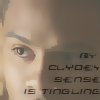 When I come up with the descriptive text for this image I need to decide what information I want to convey. The text, definitely. The fact that it is an image of the character Clyde Langer, probably. Should the descriptive text convey the source material for the image and the quotation (Sarah Jane Adventures)? I suspect so, because that's something I will probably be communicating when I use this userpic. Do I think it's important that the image is a close-up of Clyde's face? Probably not.
On the other hand, with this icon , I am much more likely to want to describe the visual layout of the image and not the character and the source material. When using this icon, it wouldn't be that important to me that everyone know this is the recurring eponymous character Liz from the Liz Prince mini-comics, and it wouldn't even be that important that they know the text bubble contains the words "Ha Ha". On the other hand, it would be important to me that my readers know this is a cartoon of a laughing girl playing a tiny violin on a sea of tears.
In general, when writing your descriptive text, think about what your userpic is trying to convey. Is it important the image is of Rachel Maddow, is it important that the woman in the image is sticking out her tongue, or is it important that the text says "Bitch, please"?
If you were going to make a Gratuitous Icon Post or use the phrase "*points to icon*" somewhere in the text of your entry, what about that icon is the important thing to convey?
To give you an idea of how your userpic descriptive text will appear to a user who doesn't see the images, we have produced some renditions of a miniature post using various non-image displaying technologies.
[Include a screen shot of a brief sample post in a new standard browser with images turned off, maybe with styles turned off and high contrast on just for extra]
[include a screen shot of the same post in lynx]
[Include a sound file of Jaws reading that post aloud]
[Anything else?]
(rb, we haven't developed a tags list yet, but I would lean towards tagging something like this "draft" and "draft-howto". And maybe something indicating what kind of documentation it is discussing?)
jadelennox, that's crap, I'm rewriting from scratch," I won't get offended.Userpic Descriptions: what they are, why they are there, and how to use them
Introduction
If you take a look at your userpic edit page, you will see three available fields for you to describe the image: keyword, comment, and a new field, description.
- Keyword is the familiar keyword field, which allows you to write quick descriptions to help you select your userpic from a drop-down list.
- Comment is the familiar comment field, which many users populate with extra information about their userpics, such as credit to the icon creator.
- Description is a new field, designed to increase accessibility by allowing you to give meaningful text alternatives to users who can't see your userpics.
In the journaling world, icons have become part of the vocabulary by which we communicate. Without meaningful alternative text, part of the conversation is obscured from those users who cannot see the images.
Picking meaningful alternative text
Deciding what descriptive text is meaningful is really up to you. If one of your icons is a beautiful abstract swirl of colors, and possibly that's the information you want to convey, and your descriptive text would be "Beautiful abstract swirl of colors". Alternately, you might not think that's important, and your descriptive text might be "
jadelennox's userpic". If your icon has legible text on it, you probably want to include that legible text in your userpic description.Take this icon, for example:
On the other hand, with this icon
In general, when writing your descriptive text, think about what your userpic is trying to convey. Is it important the image is of Rachel Maddow, is it important that the woman in the image is sticking out her tongue, or is it important that the text says "Bitch, please"?
If you were going to make a Gratuitous Icon Post or use the phrase "*points to icon*" somewhere in the text of your entry, what about that icon is the important thing to convey?
Examples of userpic displayed using assistive technology
To give you an idea of how your userpic descriptive text will appear to a user who doesn't see the images, we have produced some renditions of a miniature post using various non-image displaying technologies.
[Include a screen shot of a brief sample post in a new standard browser with images turned off, maybe with styles turned off and high contrast on just for extra]
[include a screen shot of the same post in lynx]
[Include a sound file of Jaws reading that post aloud]
[Anything else?]
(
rb, we haven't developed a tags list yet, but I would lean towards tagging something like this "draft" and "draft-howto". And maybe something indicating what kind of documentation it is discussing?)
Re: Userpic descriptions